Unreal Engine Assets & Tools
Unreal Engine Assets & Tools Collection by CelestiaDominance

Products
Actor Spawner & Painter in Editor Pro
Place your own Blueprint actors directly in the Unreal Editor with a click or a brush stroke. Build prop layouts and scatter interactive actors while controlling spacing, scale, rotation and surface alignment. PRECISE CLICKS OR BRUSH PAINTING Drop an actor at the cursor hit with Single Click Placement, or drag a circular brush across a surface. Adjust radius and placement attempts to suit the layout. Each click or stroke is one undo/redo step. PLACEMENT THAT FOLLOWS THE SURFACE Align the actor's local Z axis to each placement's surface normal, including slopes and walls. Add random uniform scale and yaw for variation. Brush samples project onto nearby surfaces, with an option to require a valid hit for every sample. CONTROL SPACING AND OVERLAP Set a minimum distance between painted actor pivots. Optional overlap prevention checks the final world space bounds of tagged tool actors, including constructed Blueprint components, child actor components and scale. Existing tagged duplicates and undo/redo changes are recognized on subsequent brush applications. FITS NORMAL LEVEL EDITING Placements remain ordinary actors in the current level. Edit them with Unreal's regular tools and save them with your scene. Painter settings persist per project and editor user. Navigation keys stop painting, and placement is disabled during Play/Simulate or when the target level is hidden or locked. Designed for the Windows 64 bit editor in Unreal Engine 5.6, 5.7 and 5.8. Use your own placeable Actor Blueprints with a root component. The plugin contains no Blueprint assets, meshes, materials or example maps. Surfaces need Visibility blocking collision. Actor pivots are placed at surface hits; prepare mesh offsets in your actor class. Overlap prevention checks tagged actor bounding boxes, so it can be conservative for irregular shapes.

From 0.00
BlueprintGraphThemeSelector Custom node theme & custom background image
Personalize your Blueprint graph workspace from Project Settings. Blueprint Graph Theme Selector provides six visual presets, custom node title and pin/wire colors, adjustable wire thickness, and an optional background image. Features: Choose Default, Dark, Low Opacity, Light, Neon, or Custom. Set your own node title color, pin/wire color, and wire thickness in Custom mode. Use a local PNG, JPG, JPEG, BMP, or TGA background, with adjustable opacity. Stretch an image across the viewport or repeat it with Tiled (Screen Space). Hide grid lines while a valid custom background is active. Preview changes immediately, with a status message if an image cannot be loaded. Turn off Enable Theme to restore the underlying editor appearance while keeping your theme choices. Settings are personal to the current project. Background images remain fixed to the viewport during graph panning and zooming. Theme colors use Unreal's shared graph settings; individual node widgets may retain their own body or text styling.
From 0.00
DungeonArchitectBasic
Build dungeon layouts directly in the Unreal Editor, then use the saved geometry and runtime actors in your game. Configure seeded rooms, corridors and multiple floors, with your own meshes, materials and room actors. Upgrade note: terminals no longer bind E/W/S/arrow keys automatically. Connect your input actions to Interact and Select Previous/Next Floor. Add DABInteractionComponent to replicated player pawns for remote client terminal commands. Get Current Stop Index returns 1 while moving; handle this as an in transit state. Choose instanced geometry for an editable dungeon actor or generate a persistent merged Static Mesh asset. Add ceilings, windows, corner pillars, point lights, automatic doors and elevator connections as your layout needs them. FEATURES Seeded room and corridor generation with optional loops and multiple floors. Hierarchical Instanced Static Mesh output or a saved merged Static Mesh, with optional Nanite settings for the merged asset. Custom floor, wall, ceiling, door, pillar, elevator platform and terminal meshes, with bounds alignment and axis controls. Optional runtime doors with opening modes, auto close delay, window frames and sound. Multi stop elevators and terminals, including aligned elevator towers and optional pawn overlap auto call. Callable terminal interaction functions for your own input actions, UI or interaction system. Replicated pawn interaction component for server validated multiplayer terminal requests. Current level generation and clearing with Undo, locked level protection and preservation of existing Player Starts. Optional actor spawning in rooms, materials, windows, pillars and lighting. WORKFLOW Open Dungeon Architect Basic from the Window menu or Dungeon toolbar button, choose your settings and generate. Inspect the result, save your level and generated mesh assets, and connect your player's input to the terminal interaction functions. Layout generation runs in the editor. Doors, elevators and terminals run in gameplay. The plugin does not include a player character, input mappings or a finished UMG interface; use the documented entry points to connect your project. Custom mesh collision, navigation and character traversal should be configured and tested in your game.
From 0.00
Easy Custom Notifications
Easy Custom Notifications is a lightweight C++ runtime plugin for Unreal Engine 5.8 that makes polished in game messages easy to add without forcing every project to build a notification framework from scratch. Use the simple Show Custom Message Blueprint node for fast alerts, or use the advanced node to control the complete presentation. Messages can appear in any corner, along any side, or in the center of the screen, with independent stacking and directional entrance/exit animation. Key Features One node Blueprint workflow for fast custom messages. Nine screen positions: every corner, every side center, and screen center. Directional Up, Down, Left, and Right movement, plus fade only animation. Custom text color, background color, opacity, sizing, wrapping, padding, spacing, timing, and travel distance. Custom Unreal font asset, typeface, and font size support. Sound effects or music through Sound Waves, Sound Cues, and MetaSound Sources, with volume, pitch, start time, stop, and fade out controls. Optional custom Widget Blueprint derived from the included C++ notification class. Shared Notification Style data available directly inside custom widgets. Optional automatic Text Block and Border bindings for quick custom layouts. Initialization and dismissal events for custom Blueprint behavior and UMG animations. Unique handles for early dismissal, clear all support, and active message counting. Per local player routing and split screen support through an optional Target Player. Code only default renderer with no required runtime content assets. Safe cleanup when messages expire, are dismissed, are cleared, or the local player subsystem shuts down. Typical Uses Objective and quest updates Item pickup and reward messages Tutorial prompts Warnings and gameplay alerts Achievement style notifications Status and system messages Custom animated UI announcements Custom Widget Workflow Create a Widget Blueprint derived from Easy Custom Notification Widget, design any layout you want, and select it in the advanced notification style. The widget receives the message handle, text, and complete sanitized style. It can use the plugin's built in animation or take ownership of its own UMG animations. Multiplayer Note Notifications are intentionally cosmetic and client side; they are not automatically replicated. In a network game, call the display node on the owning client, normally from a Client RPC. Explicit Target Player routing also supports local split screen players.
From 0.00
Easy Flashbang - Flash The Enemy
EasyFlashbang is a self contained C++ runtime plugin that adds configurable, server authoritative flashbang gameplay to Unreal Engine 5.7 and 5.8 projects on Win64. Add the Easy Flashbang Component to your grenade, configure the effect, and call Trigger Flash from your server side detonation logic. Exposure is evaluated independently for each local player using line of sight, viewing angle, and distance. The resulting effect combines a configurable white flash overlay with an optional captured 3D scene after image.
From 0.00
Easy Graffiti Master
Easy Graffiti Master Runtime Graffiti Let players choose their own images and project them onto surfaces during gameplay. Easy Graffiti Master provides a C++ runtime framework with Blueprint callable nodes for image selection, loading, decal placement, and save/restore integration. Use the built in camera trace, place graffiti at a custom transform, or pass a Hit Result from your own interaction system. The included decal material preserves image proportions and supports source transparency. Adjust size, rotation, projection depth, surface offset, delayed appearance, and lifetime to fit your gameplay. Features Native Windows image picker with multiple selection, plus direct file loading. PNG, JPEG/JPG, BMP, and EXR imports with file size and pixel limits. Persistent imported image identifiers and content based filenames that avoid ordinary same name image collisions. Camera Actor, Player Camera Manager, and Actor trace sources. Placement from your own blocking Hit Result, with optional attachment to moving surfaces. Explicit custom decal material and texture parameter overrides on hit placement and restoration. Save current decal transforms and restore them after restarting the game, while the required images remain available. Delayed reveal, optional timed removal, and cancellation through the returned decal actor. Optional sounds, Niagara effects, and Cascade effects on Apply Graffiti. C++ source and Blueprint callable functionality for your own UI, inputs, interaction logic, and SaveGame system. Required plugin: Niagara (included with Unreal Engine), even when optional effects are unused. Supported engines: Unreal Engine 5.7 and 5.8. Supported platform: Windows 64 bit. Graffiti is local cosmetic decal rendering. Automatic multiplayer replication and image transfer are not included. Each application creates a separate decal actor; your game controls placement rate, active decal count, and saved records. Image loading is synchronous, and imported EXR data is converted to 8 bit sRGB.
From 0.00
Easy Landscape Cut
Create landscape openings directly in the Unreal Editor. Click to cut or hold the mouse button to paint an opening, with a circular brush preview and adjustable radius. Use the tool to prepare cave entrances, tunnel portals, pits and spaces for your own underground geometry. Version 3.0.0 fixes painting on transform locked landscape streaming proxies and improves editor picking and status messages. It retains safe material handling, edit layer selection, Undo/Redo and persistent settings. Features Click or continuous stroke landscape visibility painting. World space brush radius from 10 to 5000 Unreal units, with keyboard adjustments. Named edit layer targeting and checks for locked, hidden or unsupported layers. Automatic visibility mask setup for supported writable project materials, preserving existing opacity logic and material assignments. Material instance refresh after changes and Undo/Redo. Persistent per project user settings and status messages explaining blocked operations. The tool creates openings in the landscape surface and collision. Supply separate meshes and collision for tunnel walls, ceilings and floors. Complex materials may need manual visibility mask setup. Landscape Grass must be configured to respect visibility; independent foliage and PCG objects are handled by their own systems.
From 0.00
Easy Maze Builder
Important Note This plugin requires the Procedural Mesh Component plugin to be enabled. Go to Edit → Plugins → search for "Procedural Mesh Component" and enable it before using Easy Maze Builder. Turn maze drawings into editable 3D walls inside Unreal Engine. Choose block shaped grid generation or trace image centerlines into spline and procedural walls. Work with your own wall meshes and materials, or start with the engine cube. Grid output supports individual Static Mesh Actors, one actor with separate components, or hierarchical instances. Path output supports spline mesh components or straight wall sections in one procedural component. Version 2.0.0 adds repeatable mesh selection with a random seed, output limits and bounded path image resolution. Generation uses background image analysis and batched editor spawning, with progress reporting and cancellation. Closed loops, border lines and nearby separate walls are handled more reliably. Save generated geometry in your level for packaged Windows games. Grouped MazeActors use the plugin's small runtime module, so keep the plugin enabled for those outputs. Maze generation remains an editor tool. Features: Image threshold and inversion controls, with transparent backgrounds treated as white. Custom mesh configurations, weighted selection and material overrides. Adjustable wall dimensions, grid size and path detail. Separate actors, grouped components, HISM, spline and procedural output. Editor transactions, safe cancellation and preserved saved geometry. Unreal Engine 5.7 and 5.8 support on Windows. The tool creates walls from your image. Floors, lighting, navigation, gameplay and puzzle generation are supplied by your project. Procedural sections are not welded into a seamless solid at junctions.
From 0.00
Easy Monitor Switcher
Easy Monitor Switcher gives Blueprint and C++ projects a safe, straightforward way to detect Windows displays and move the correct game window to the player’s chosen monitor. Build a monitor selector for a settings menu, an arcade cabinet, a simulator, a local multiplayer setup, or any game where players should control which display is used. The plugin exposes friendly monitor labels for UI while also providing stable monitor IDs for reliable selection. Detect active Windows monitors and read their name, stable ID, resolution, desktop position, usable work area, DPI scale, and primary status. Switch by stable Monitor ID instead of relying on temporary indexes or potentially duplicated names. Choose Windowed, Borderless Fullscreen, or Exclusive Fullscreen behavior. Use Borderless Fullscreen as the safe default for modern games and PIE testing. Keep windowed games inside the usable desktop area so taskbars and docked toolbars are respected. Correctly target monitors positioned above, below, left, or right of the primary display. Handle mixed DPI setups, minimized/maximized windows, duplicate monitor names, monitor disconnection, and display topology changes. Select the correct viewport through World Context in PIE and multi window sessions. Receive a clear failure reason when a request cannot be completed. Save game user display settings only when explicitly requested. Continue using the original four Blueprint nodes, or adopt the new stable ID workflow. The plugin is code only, contains no gameplay or Content folder assets, performs no continuous ticking, and uses Unreal Engine plus standard Windows display APIs. It supports Unreal Engine 5.6, 5.7, and 5.8 on Win64.
From 0.00
Easy Refresh All Nodes - Batch Refresh & Compile Blueprints
Easy Refresh All Nodes keeps Blueprint maintenance from derailing your day. Refresh selected Blueprint assets, recursively process Content Browser folders, or run a configurable project wide scan without opening every Blueprint manually. Every matching Blueprint receives Unreal Engine's Refresh All Nodes operation. Compilation is optional, results are summarized clearly, and saving always remains under your control. Key Features Content Browser asset and folder actions for focused Blueprint maintenance. Level Editor command for scanning configured roots such as /Game, optional /Engine content, and custom plugin or project mount points. Optional Blueprint compilation after nodes are refreshed. Clear warning summaries with both Blueprint and warning counts. Compilation failure dialog with direct links to affected Blueprints and easy access to the Blueprint Compiler log. Flexible filters for excluded directories and Blueprint classes. Optional Level Blueprint support with cancellable discovery progress for larger map scans. Safe saving: the plugin never silently writes packages. Enable the save option to use Unreal Engine's selectable, source control aware checkout/save dialog. Failed compilations are never included in the plugin's save list. Editor only C++ implementation with no runtime assets or gameplay dependencies. Typical Workflow 1. Select problem Blueprints or a Content Browser folder and run the appropriate Easy Refresh All Nodes command. 2. Before a build or migration, use Edit Refresh All Blueprint Nodes to process every enabled content root. 3. Review warning and failure results, follow direct Blueprint links when corrections are needed, and rerun the batch after fixing errors. 4. Configure compilation, save prompting, scan roots, Level Blueprint inclusion, and exclusion filters under Project Settings Plugins Easy Refresh All Nodes. Safe Defaults /Game scanning: enabled. /Engine scanning: disabled. Blueprint compilation: enabled. Automatic saving: never used. Checkout/save prompt: disabled until you opt in. Level Blueprint scanning: disabled until you opt in because discovering level scripts requires loading map assets. Easy Refresh All Nodes is designed for teams and solo developers who want faster Blueprint maintenance without giving up control over compilation results, source control, or saved changes.
From 0.00
EasySnapping
Easy Snapping is a focused, editor only vertex snapping tool for Unreal Engine 5.6, 5.7, and 5.8. Place modular meshes precisely without typing coordinates: hover a visible vertex, click it as the source, then click a target vertex to align the selection. Hold Shift on the target click to duplicate and snap instead, making repeated placement fast. Key Features Fast two click vertex to vertex snapping with clear viewport feedback. Color coded markers: orange while a dense mesh is being scanned, green when vertices are ready, blue for the captured source, and yellow for the selected target. Multi actor snapping: preselect a group and move or duplicate it while preserving the group's offsets. Repeated Shift click duplication from the original captured source. Works with regular Static Mesh Components and deformed Spline Mesh Components. Instanced Static Mesh, Hierarchical Instanced Static Mesh, and foliage instances can be used as precise targets. Collision independent picking in normal Level Editor viewports. Active LOD aware vertex selection, with stable LOD 0 topology for Nanite meshes. Time sliced scanning for dense meshes to keep editor interaction responsive. Built in Undo support and safeguards for locked actors, locked levels, invalid targets, moving source hierarchies, and overlapping duplicates. Code only editor plugin with no runtime module and no packaged game overhead. Ideal for modular environments, architecture, kitbashing, roads, fences, props, and any workflow that requires exact mesh alignment.
From 0.00
Easy Windows Reboot
Easy Windows Reboot Request a local Windows shutdown or reboot from Unreal Engine Blueprints or C++. Designed for operator controlled kiosks, simulations and Windows applications that need an explicit system power action. Version 2.0.0 adds request preview, cancellation and structured results while retaining the existing Easy Windows Reboot node. FEATURES Shutdown or reboot with a configurable countdown. Preview and normalize requests without executing an OS action. Cancel a pending Windows shutdown/reboot during its cancellable countdown. Read acceptance status, effective countdown, clamp information, native error codes and diagnostic messages. Choose whether applications are forcibly closed; forced closure is off by default. Default editor/PIE protection, explicit editor opt in on all execution nodes and commandlet blocking. Native Windows API integration with scoped shutdown privilege handling. Exported C++ function library alongside Blueprint nodes. Countdown validation before integer conversion, with non finite numbers and invalid actions rejected. Countdowns support 0 to 315,360,000 seconds (3,650 days). Zero is immediate; finite values outside the range are clamped and fractional seconds are rounded. The plugin affects the computer running the application. Windows permissions are required. Acceptance means Windows accepted the request, not that shutdown has completed. Cancellation is system wide and can affect pending requests from other applications. No widgets, input mappings or automatic confirmation UI are supplied. Connect the functions to your own application controls. Upgrade note: the retained legacy node no longer forces applications closed and defaults to blocking editor/PIE; its new Allow In Editor checkbox enables deliberate editor use. Use Schedule for forced closure control.
From 0.00
FollowPhotoCameras - Dynamic Follow Cameras and PNG Photography
Create runtime photographs of your actors from moving camera viewpoints. Follow Photo Cameras supports automatic interval capture and manual requests, with Blueprint controls for orbit motion, follow lag, image resolution, collision handling, and capture appearance. Version 2.0.0 adds a session workflow: supply an output folder, retain the returned session, control its cameras independently, and inspect confirmed files, pending writes, and errors. The original Start Cameras, Stop Cameras, and Take Photo nodes remain available, including the native Windows folder picker. Highlights: Multiple cameras with Cinematic, Balanced, and Aggressive movement presets. Automatic or manual PNG capture with per camera photo limits. Direct folder sessions and independent controls for different callers. Focus on visual bounds, with an adjustable focus offset. Configurable camera and visibility collision channels. Preset and custom resolutions, including 12K on suitable hardware. Shared render targets and bounded async compression/write queues. Exposure and post process controls, plus custom camera visuals. Confirmed save results and output that does not overwrite existing PNGs. Useful for actor showcases, gameplay photography, visual QA, and image collection workflows. Release copies: Unreal Engine 5.6, 5.7, and 5.8. Windows Win64 runtime plugin. Sessions run locally on rendering clients. High resolution capture requires suitable hardware; rendering and GPU readback can still cause frame hitches.
From 0.00
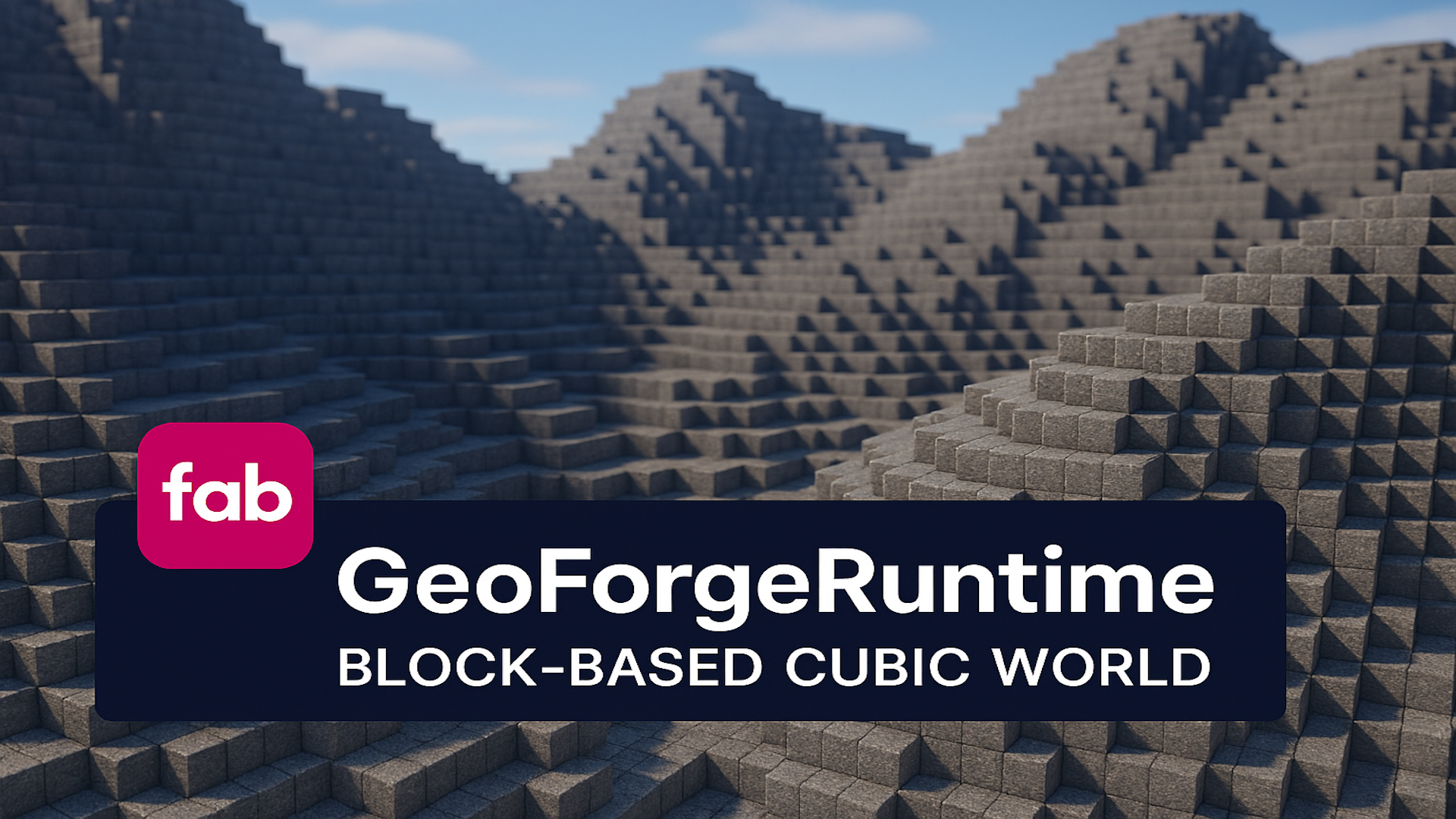
GeoForgeRuntime - Block-Based Cubic World
GeoForgeRuntime is a C++ terrain toolkit for Unreal Engine 5.7 and 5.8 that builds streamed, editable block worlds and playable cube sphere planets. Place the GeoForge Editable World Actor, select a world shape, configure the profiles and materials you want, and use Blueprint or C++ to dig, place, query, save, and replicate terrain. Requires Unreal Engine's ProceduralMeshComponent plugin to remain enabled. Build planar infinite worlds, finite maps, planar islands, floating islands, or fully spherical block planets. Editable planets reuse the same biome, block, material, save/load, structure, and multiplayer systems as planar terrain. A separate lightweight Surface Planet Actor is included for non editable visual worlds. Planet gameplay support includes radial gravity for Characters and physics bodies, distance based falloff, player up alignment, an optional first/third person planet camera, startup collision readiness, localized collision streaming, radial trees and clouds, and an optional ocean shell with localized swimming volumes. Async generation and incremental game thread apply budgets reduce visible hitches, while Balanced and Low Spec / Old PC profiles provide practical starting points. Key Features Planar Infinite, Planar Finite, Planar Island, Floating Island, and Cube Sphere Planet world shapes Exact single block digging/placement, radius edits, structure stamps, generation overrides, targeting, terrain queries, and save/load Editable cube sphere planets with deterministic terrain, biomes, materials, save/load, and optional replicated edits Radial gravity plus optional first person/third person planet camera components Legacy and advanced generation, caves, rivers, coastlines, biome blending, and data driven features Block definitions, shared registries, terrain block profiles, weighted pools, and CSV/DataTable block sync recipes Reusable voxel structures with viewport authoring, static mesh voxelization, heightmap workflows, and rotated stamping Classic procedural, instanced cube, and marching cubes render paths Built in trees, clouds, water overlays, planet oceans, and included stylized starter materials/content Async chunk/planet generation, readiness events, localized planet collision, exposed cube rendering, and performance profiles Server authoritative terrain edit validation with bounded spatial replication for multiplayer and late joiners GeoForge Terrain editor mode, custom profile editors, diagnostics, and Blueprint/C++ extension points
From 0.00
MatrixRainRuntime - Matrix Rain
Matrix Rain Runtime is a lightweight, code only runtime plugin for Unreal Engine 5.7 and 5.8. Trigger a stylized digital glyph rain effect directly from Blueprint for gameplay events, cinematics, hacking sequences, sci fi or horror scenes, menu backgrounds, and screen effects. Setup is simple: enable the plugin, call Start Matrix Rain, choose a rendering mode, and adjust the exposed Matrix Rain Settings. No actor placement, plugin content assets, or custom project configuration is required. Blueprint Nodes Start Matrix Rain: starts the effect or updates the currently active effect. Stop Matrix Rain: fades out and removes the effect. Is Matrix Rain Active: reports whether the effect is active or fading out. Rendering Modes Current Screen Overlay: draws rain directly over the local viewport. Real 3D World Space (Text): creates genuine world space text columns for close up or cinematic use. Fast Real 3D World Space: uses optimized layered widget surfaces for a convincing 3D volume at a much lower runtime cost. This is the recommended 3D mode. Key Features Adjustable quantity, glyph size, trail lengths, fall speeds, opacity, head/trail colors, background dimming, and fade timing. Custom Rain Text with randomized or exact sequential playback. Unicode aware custom text parsing for glyphs supported by the active font. Configurable world extents, column spacing, glyph size, offset, follow view behavior, fast layer count, and redraw rate. Safe repeated start/stop calls, viewport changes, and seamless map travel handling. Bounded runtime settings, simulation catch up, component counts, and fast mode render target usage. Client local cosmetic behavior suitable for single player or multiplayer projects when invoked on each intended client. For most gameplay situations, start with Fast Real 3D World Space, enable World Space Follows View Target, and use the default performance settings.
From 0.00
Minimal Inventory Runtime
Build an inventory around your game's own interface and interaction flow. Minimal Inventory Runtime provides a C++ runtime framework with replicated inventory state, stacking, weight limits, pickups, containers, equipment, expiration, and save/load support. Use the built in Slate inventory and hotbar, design your own widgets with the UMG base classes, or connect an existing HUD directly to inventory events and queries. Your project controls its layout, input bindings, menu navigation, and presentation. Connect your interaction system Disable the built in tracing and prompts and pass your focused actor to the player's inventory. Explicit pickup and container functions are also available for interactions already validated by your server. Inventory providers and component tags help select the correct inventory in custom player frameworks or actors with multiple inventories. Add crafting and merchant flows Server side transaction functions apply complete costs and rewards together. Use them for recipes, currency as item purchases, finite stock merchants, sales, and exchanges between inventories. Space, stack, quantity, and weight checks run before committing the operation. Your project supplies the recipe/product data, permissions, prices, and shop interface. Inventory features Replicated slot contents with server authoritative actions. Configurable slot capacity, stack sizes, weight limits, and optional auto compaction. Pickups, partial pickup handling, containers, item drops, and dropped bags. Item use hooks, equipment slots, configurable attachment targets, and equipment visuals. Item expiration and transformation settings. Built in Slate UI, custom UMG window/hotbar bases, and external HUD events. SaveGame snapshots, a replaceable persistence provider, and stable player identity hooks. Blueprint callable helpers for existing C++ and Blueprint gameplay systems. The documentation includes custom UMG and existing HUD walkthroughs, external interaction wiring, crafting and merchant examples, persistence integration, and migration notes for version 2.0.0. This is a framework: item definitions, artwork, widgets, recipes, NPC behavior, account services, and project specific integration are supplied by your game. No third party interaction plugin is required. An external wallet or database is not part of the built in inventory transaction. Unreal Engine 5.7 and 5.8. Windows (Win64). One runtime module; no editor module or bundled Blueprint assets.
From 0.00
RuntimeRecordingCamera
Capture your game's camera view while gameplay continues. Build character following shots, orbiting showcases, overhead views and fixed cinematic angles, then save the scene to a local MP4 video or PNG image sequence. CAMERAS YOU CONTROL IN BLUEPRINT Use the Recording Camera Actor with seven movement modes: Follow Only, Orbit Around, Dynamic Orbit, Front Follow, Top Down, Free Move and Fixed Position. Adjust distance, height, transition speeds and randomized offsets to suit your subject. Camera channel collision sweeps help keep following shots clear of geometry. Control cinematic focal length, smooth zoom, aperture and focus, together with exposure, color grading, motion blur and other post process settings. Record the supplied camera or pass your own registered camera component to the Recording Manager. CHOOSE YOUR OUTPUT H.264 MP4 video through Windows Media Foundation, with PNG fallback when encoder setup is unavailable. An explicit PNG Sequence mode with frame timestamps for editing workflows. Resolution presets from 1280 x 720 to 7680 x 4320, plus custom dimensions through the manager. Configurable capture rate and MP4 bitrate, with a hidden, visible or minimized preview window. Blueprint results for start success, saved frame count, output path and final recording status. Start a take with an output filename or a Windows save dialog. Stop and retain the camera for another take, or remove it when finished. Existing output files are protected from replacement, and normal camera/world cleanup finalizes active recordings. Version 2.0.0 improves recording exposure, camera movement and collision, smooth zoom, session ownership and output handling. Recording quality adjustments apply to the recording view without changing the player's global graphics settings. PLATFORM AND SCOPE For Unreal Engine 5.6, 5.7 and 5.8 on Windows 64 bit. Capture is local, with one active recording per game instance. Output is SDR video or opaque PNG images. Audio, screen space HUD/UMG overlays, network replication, replay storage and live streaming are not included. Actual frame rate and MP4 encoder limits depend on the scene, machine and settings. High resolution recording adds rendering, readback and output costs; profile your intended workload before choosing 4K or 8K.
From 0.00
SuperChat - Easy Multiplayer Chat
SuperChat Easy Multiplayer Chat Build multiplayer text chat with a C++ component and Blueprint accessible controls. Use the included native chat panel or connect SuperChat to your own UMG interface and gameplay systems. Channels for different conversations Send Global, Near, Local, and Team messages, or define named channels through a data asset. Combine distance limits with team membership for proximity squad chat. The server determines identity, location, range, and delivery permissions. Bring your own UI and game rules Customize colors, fonts, layout, and theme presets, or build a Widget Blueprint derived from SuperChatWidget. History change and rejection events support custom interfaces, while Blueprint hooks let your project authorize sending and filter recipients. Use one component on the PlayerController or its current possessed Pawn. Clear message feedback Optional local previews reconcile with accepted server messages, including censored content. Rejected previews are removed and expose a reason to your UI. Configure local history, mute lists, rate limits, bad word censoring or rejection, and server controlled admin commands. Features Global, Near, Local, Team, and data driven custom channels. Server authoritative distance and team filtering. Native chat panel, theme presets, and custom UMG integration. Pending message feedback and Blueprint history/rejection events. Client mute lists, configurable anti spam, and text moderation. Server system messages, clear chat commands, and custom command events. Listen server and dedicated server support. For Unreal Engine 5.7 and 5.8 on Windows (Win64). No additional plugins are required. Includes C++ source; no Blueprint assets or example maps. Your project supplies its multiplayer session, input bindings, team assignments, and optional custom UI. Chat history is local and transient; no hosting backend or persistent message service is included.
From 0.00
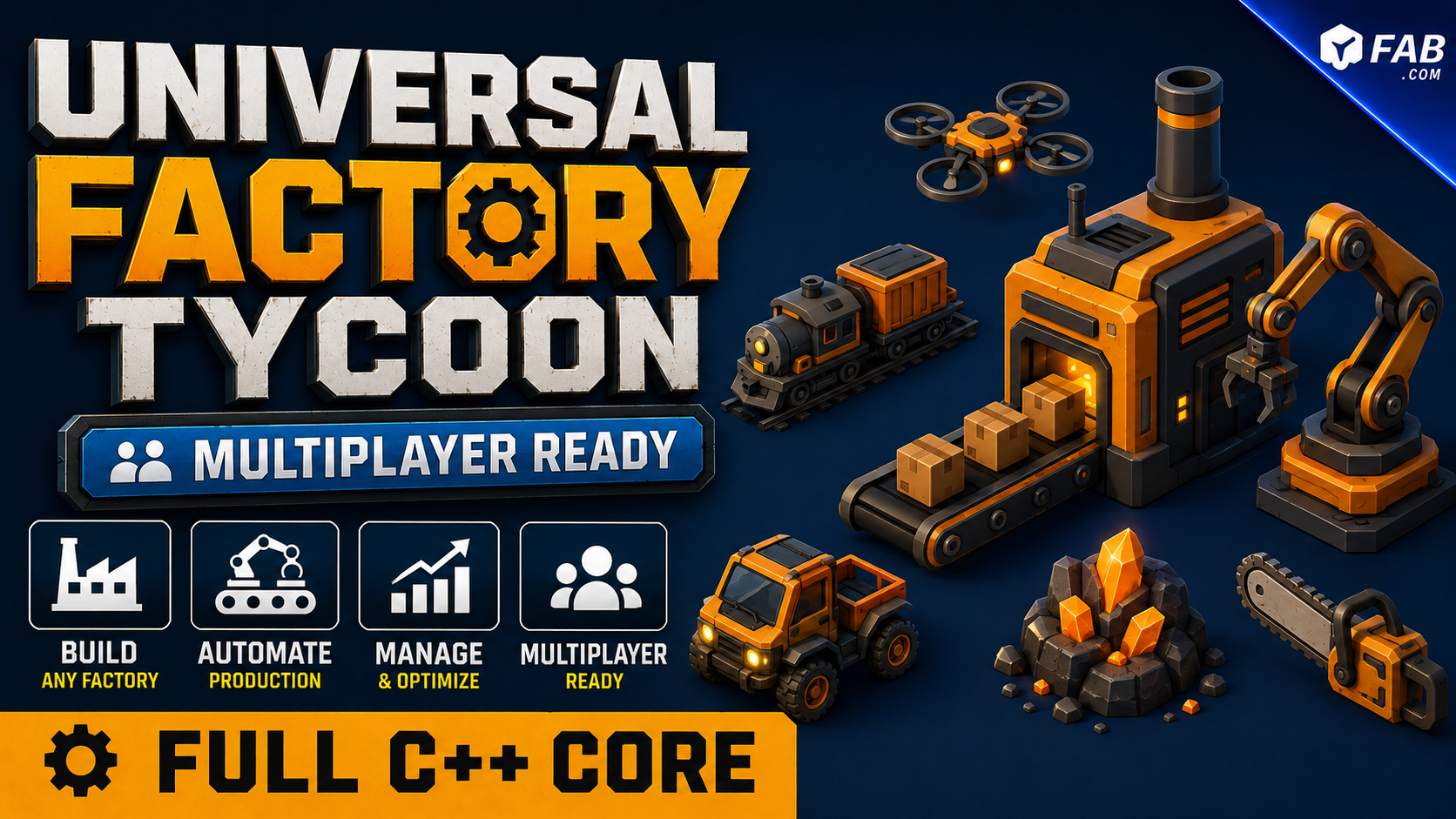
Universal Factory Tycoon - Multiplayer Ready
Runtime framework for 3D factory, automation, and tycoon games with items, recipes, inventories, machines, logistics, fluids, power, saving, multiplayer, data driven quests, and an exploration map/minimap.
From 40.00
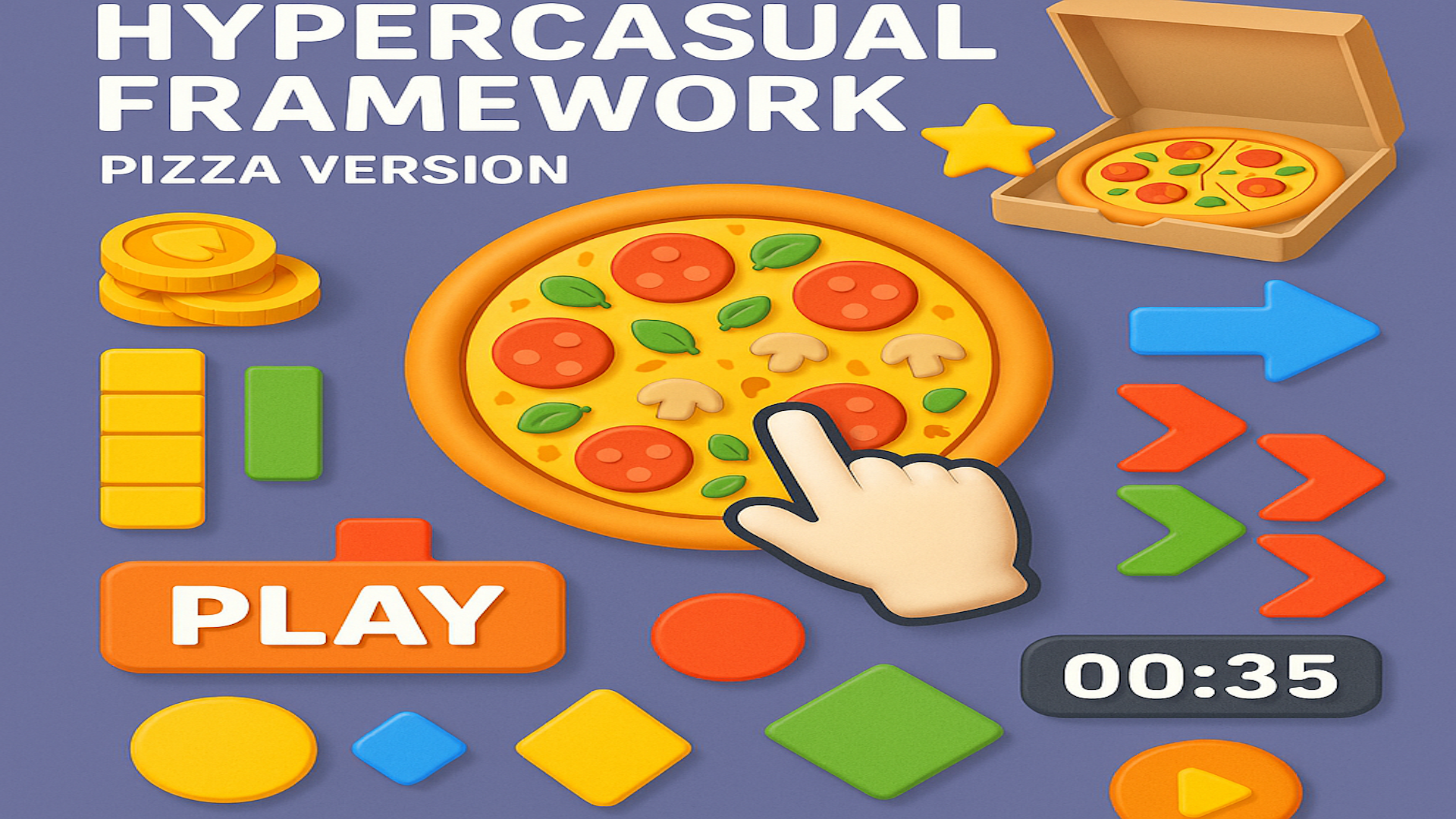
Universal HyperCasual Framework - Pizza Version
The framework is built to be practical for Blueprint users. Designers can place actors in the level, assign meshes, set prices, select item definitions, configure widget classes, tune speeds and timings, and build progression without rewriting the core C++ systems. Included functionality: Blueprint ready idle tycoon gameplay systems. Item definition data assets for visual meshes, UI icons, stack offsets, and sell values. Inventory component for money, carried items, stack visuals, cutter visuals, sounds, and gameplay events. Unlock zones with money or item payments, animated payment transfers, widgets, preview meshes, sequential unlock and destroy targets, and unlock feedback. Production stations that generate item stacks over time and transfer them to the player or helper. Service counters that receive items, sell to customers, stack money, and allow money pickup. Customer spawners and base customer character logic for service queues, item pickup, table behavior, and exit behavior. Helper characters that can be bought or unlocked, assigned to production stations, carry items, and deliver to service counters. Upgrade zones and upgrade widgets for player, helper, item, and gameplay upgrades. Dining table support for customers who eat items before leaving. Crop grow actors and cutter zones for farming style resource collection. Guide path actors for tutorial arrows and multi step guidance. Save/load helpers for common framework state. Example pizza themed content, meshes, widgets, sounds, and test levels. This plugin is intended as a framework and starter kit, not a single finished game. It gives you reusable building blocks for creating your own hyper casual tycoon projects faster while keeping the gameplay logic editable and extensible in Blueprint. Best use cases: Pizza idle tycoon games. Restaurant and food service games. Arcade idle collection games. Farming to selling loops. Factory or production line games. Casual mobile style tycoon prototypes. Windows prototypes for mobile style gameplay.
From 0.00
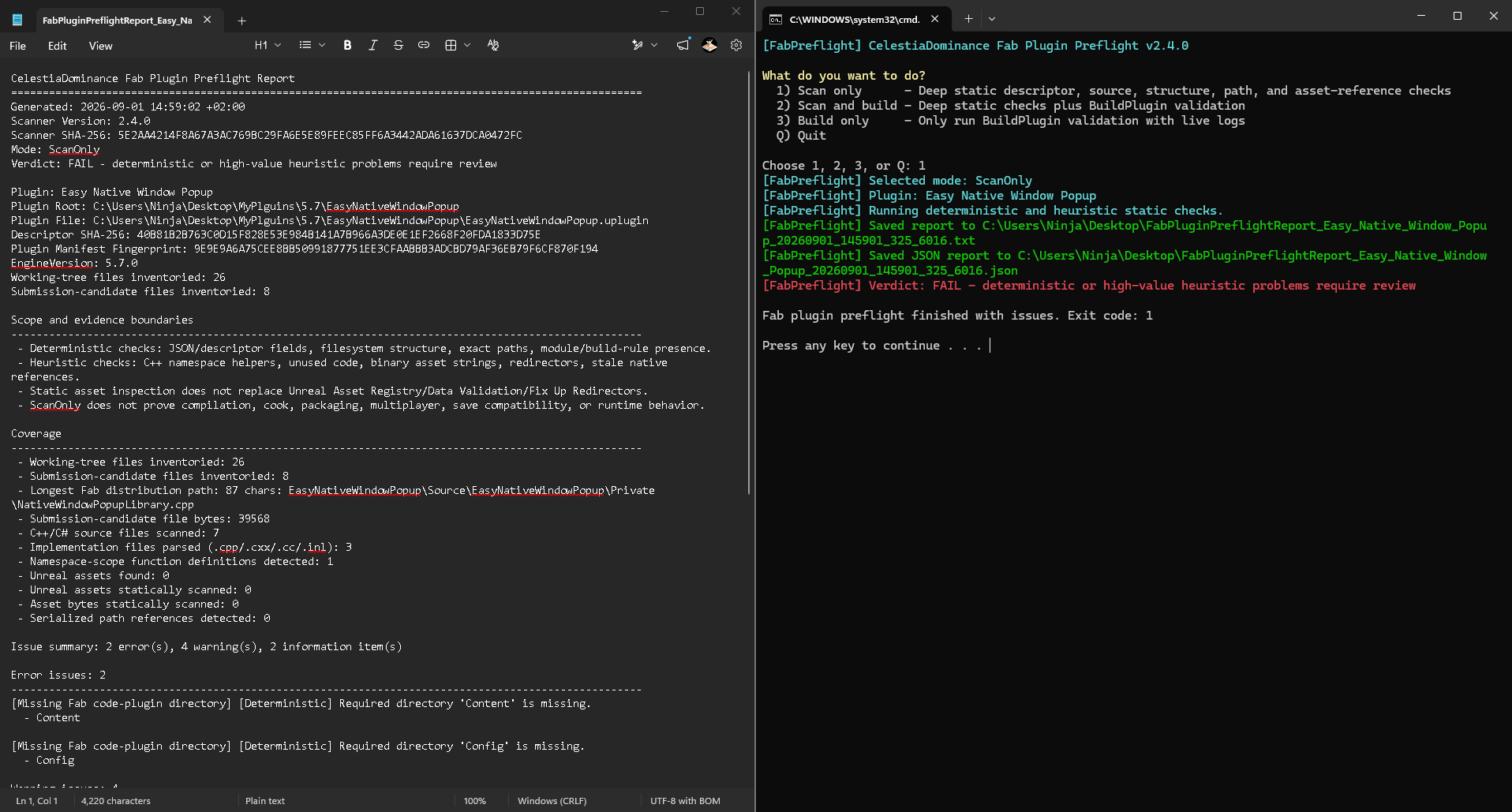
Unreal Engine Fab Plugin Preflight – Free Build & Static Scan Tool
Free Windows utility that scans Unreal Engine code plugins for common Fab submission and portability problems, with optional UAT BuildPlugin validation and clear text, JSON, and build log evidence.
From 0.00
Unused Asset Detective
Unused Asset Detective is a conservative cleanup assistant for Unreal Editor. It helps you review possible cleanup candidates inside /Game, understand why each result was shown, and move selected candidates into a recoverable quarantine before you decide whether anything should be deleted manually. It does not promise perfect unused asset detection, and it never permanently deletes assets. Unreal projects can load content through C++, configuration, data tables, string paths, scripts, DLC, or external systems that the Asset Registry cannot always prove. KEY FEATURES Conservative Reference Review Checks Hard, Soft, Manage, and SearchableName Asset Registry references. Optional live reference check for assets already loaded in the editor. Waits for Asset Registry discovery before evaluating the project. Reviews all ordinary asset types under /Game. Shows candidate count and package disk size, including common package sidecar files. Protected Results Soft referenced assets can be displayed as protected, report only rows. Protects registered Primary Assets, maps, levels, redirectors, map build data, HLOD and World Partition support assets. Protects World Partition / One File Per Actor external packages. Protects localized packages and source assets with localized variants. Protected rows cannot be selected or quarantined by the plugin. Recoverable Quarantine Workflow No Delete Forever command and no permanent deletion API. Revalidates every selected asset immediately before any move. Moves approved candidates through Unreal's standard rename dialog. Preserves the original folder structure inside a unique timestamped quarantine. Writes a CSV recovery manifest containing original and quarantine object paths. Uses clear Planned, Completed, Cancelled, and ReviewRequired manifest states. Mutation Guards Blocks quarantine while Play or Simulate is active. Blocks quarantine when content or map packages have unsaved changes. Aborts if an asset gained a dependency, became excluded or protected, cannot load, has localized variants, contains multiple top level assets, or conflicts with the destination. Works with Unreal's normal asset and source control workflow. Review and Reporting Tools Search by asset name or path. Filter textures, meshes, materials, Blueprints, sounds, animations, particles, or all types. Select only modifiable candidates. Open highlighted assets in the Content Browser. Export the currently filtered report to CSV. Add folder exclusions directly from the Content Browser or the plugin window. Optional report only view for soft references. Optional registry only scan. Cancellable, timer batched validation keeps the interface responsive. Safe Empty Folder Cleanup Disabled by default. Removes only physically empty directories, one directory at a time. Never recursively deletes a populated folder. Preserves /Game, quarantine, legacy Trash, localization, World Partition external folders, files, non asset files, and child directories. RECOMMENDED WORKFLOW 1. Commit or back up the complete project. 2. Open Tools Unused Asset Detective. 3. Configure exclusions and click Scan Project. 4. Inspect every result and export a report if desired. 5. Select only candidates you understand, then choose Move to Quarantine. 6. Restart the editor and test every important editor and gameplay flow. 7. Cook and package the project, then test that build. 8. Restore anything required using the recovery manifest. 9. Permanently delete quarantined assets manually only after you accept the remaining risk. IMPORTANT A Candidate label means that the plugin found no tracked registry dependency under its current checks. It is not proof that the asset is unnecessary. Dynamic and external loads can be invisible to static reference analysis. Source control or a full backup remains essential. Compatibility Unreal Engine 5.6, 5.7, and 5.8 Windows 64 bit development platform Editor only C++ plugin No runtime module, Blueprints, or plugin content
From 0.00